
At Parserr, our mission has always been to help you automate the manual — faster and smarter.
We’ve heard your feedback: the Done-For-You (DFY) onboarding process, while effective, often meant waiting on us to complete your setup. That’s not ideal when you’re ready to move fast.
So we’ve made a major shift — and it’s all about giving you the power to get started instantly, with a little help from automation and AI along the way.
We’re excited to introduce our new Do-It-Yourself (DIY) onboarding experience — a faster, smarter way to go from email to automation in just a few clicks.
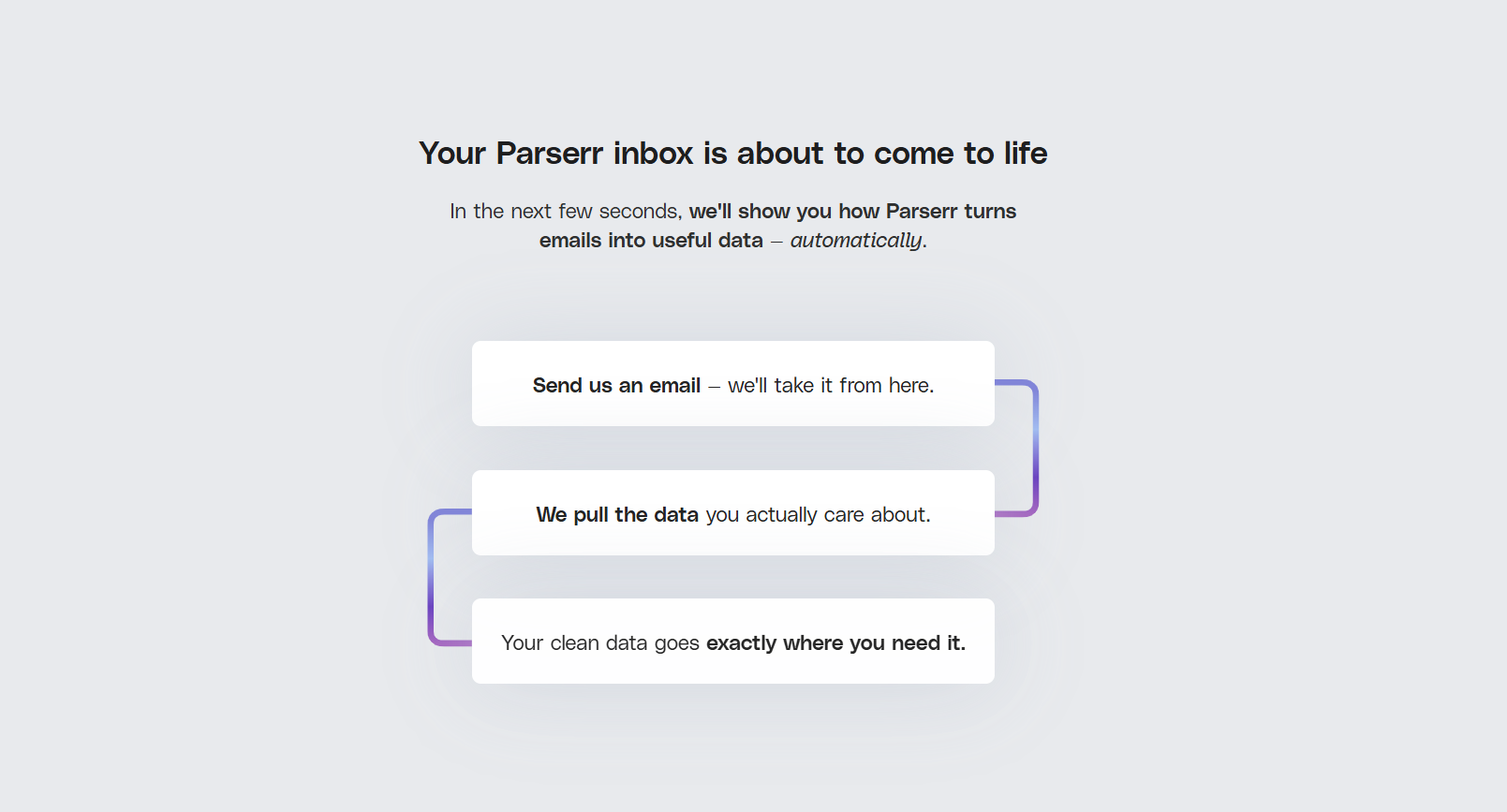
Why We Made the Shift from DFY to DIY
Our previous DFY onboarding required multiple handoffs, manual rule-building, and back-and-forth communication. While our team was happy to help, the process didn’t scale well for fast-moving teams or users who just wanted to get in, set up, and go.
With our new self-serve flow — enhanced with AI-assisted parsing and intelligent defaults — we’ve cut down the time to value from days to minutes.
Now, you can build your first automation right away, with Parserr guiding you at each step — and letting smart automation handle the complex parts behind the scenes.
What’s New: Smarter Onboarding, Simplified
We’ve rebuilt our onboarding process from the ground up. It’s not just easier — it’s intelligently optimized to help you succeed, even if you’ve never parsed an email before.
Build Your First Email Automation in Under 10 Minutes with Parserr’s New UX
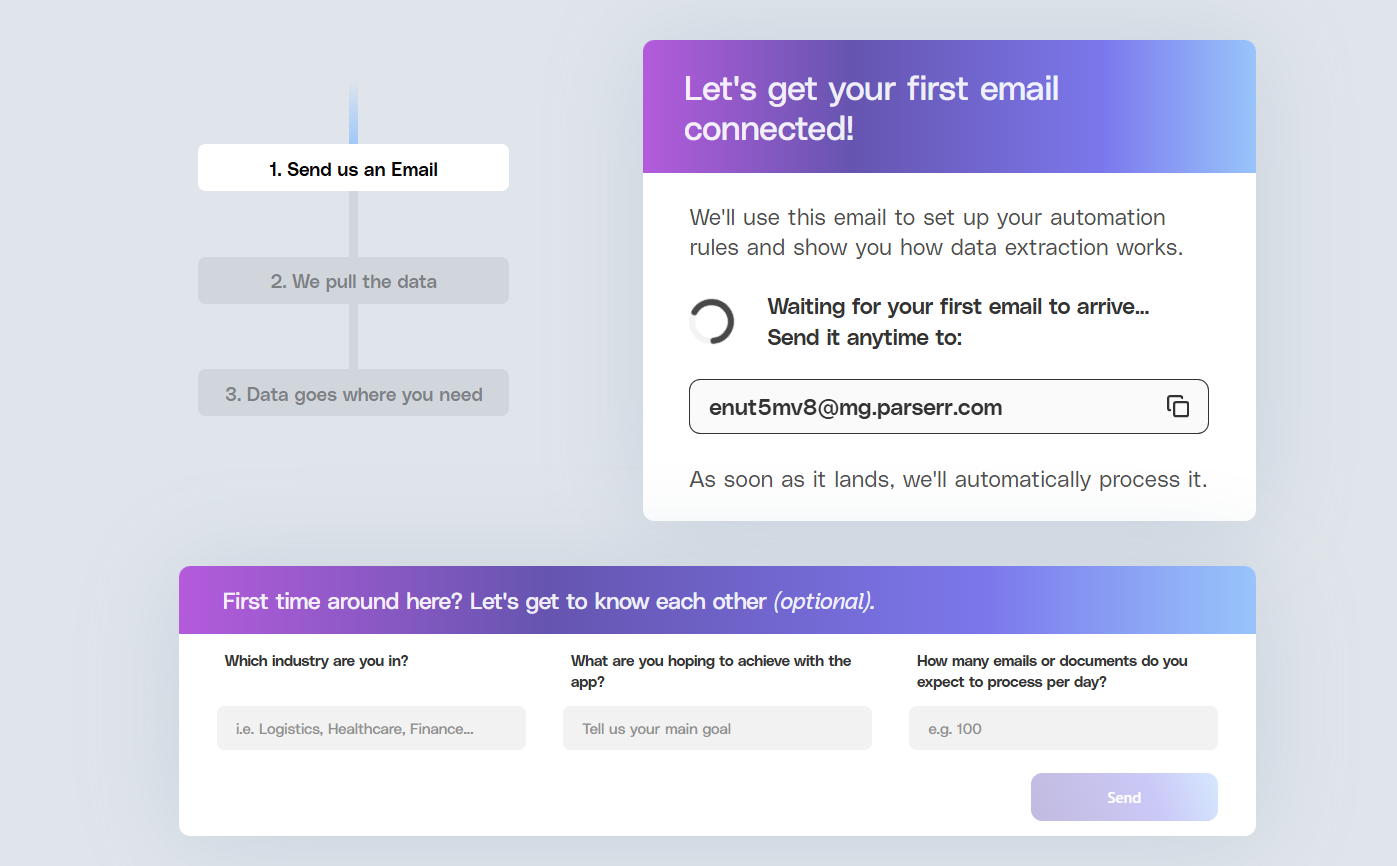
✅ Step 1: Send Your First Email
-
Clear, structured UI guides you through where to start.
-
Your unique Parserr email address is now front and center, with a one-click copy icon and “Copied!” confirmation state.
-
Optional “Get to know you” questions help us tailor your experience — but they’re skippable, so nothing gets in your way.
-
Once your email lands, Parserr automatically detects it and advances you to the next step — no need to refresh or click.
🧠 Behind the scenes, AI helps identify patterns in your email content, laying the groundwork for smarter rule suggestions later.
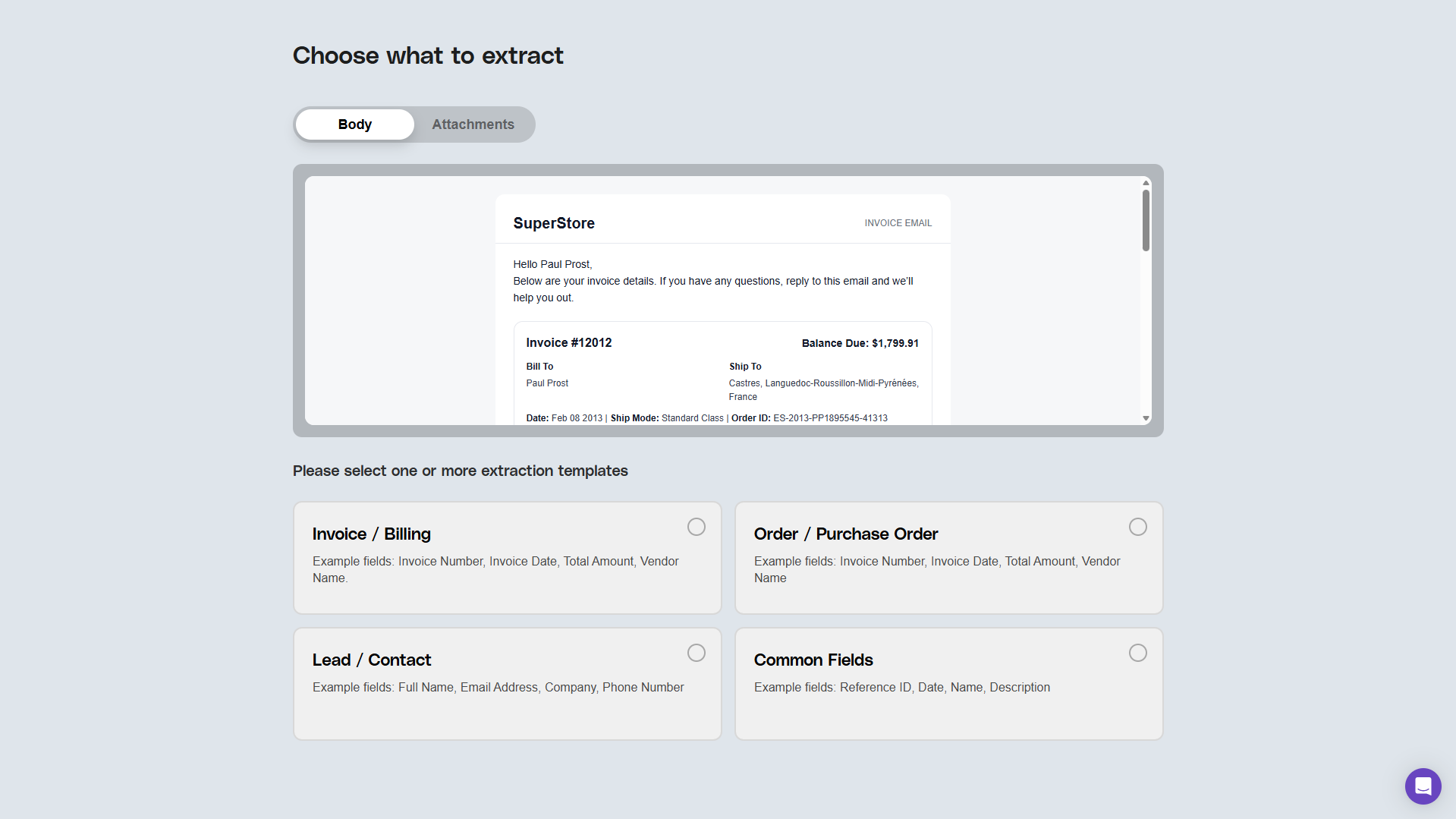
✅ Step 2: Choose What to Extract
-
Email Body is selected by default, with automatic preview.
-
If you have attachments, Parserr handles them intelligently: shows previews when supported, and still extracts data even if previews aren’t available.
-
Choose from predefined extraction packs designed for common use cases — each backed by AI-driven field recognition.
-
No advanced rule builder during onboarding — we keep it simple and use smart templates to do the heavy lifting.
-
Once you click “Extract Data,” rules are created automatically and parsing begins immediately in the background.
🤖 Our AI models ensure each extraction pack is applied accurately, using the optimal parsing logic for your content — with no manual rule-writing required.
✅ Step 3: Set Up Your First Destination
-
Select where you want your data to go using an intuitive, guided interface.
-
Authenticate your integration, map fields, and click “Send Data to Destination” to test your flow instantly.
-
Extracted data is shown in read-only mode so you can confirm results before pushing anything live.
⚙️ AI ensures your extracted data is clean and correctly mapped to the right fields, minimizing errors and improving confidence.
What You Gain with the New AI-Enhanced DIY Flow
-
Speed: Go from sign-up to working automation in under 10 minutes.
-
Clarity: Every step is guided and cleanly designed, so you never feel stuck
-
Smart defaults: AI and templates do the background work so you don’t have to.
-
Control: You build it. You run it. You scale it — on your own schedule.